
Step by step guide: Building Stronger Bonds: Why Your Pub, Cafe, Hotel or Restaurant Needs a Customer System (CRM)
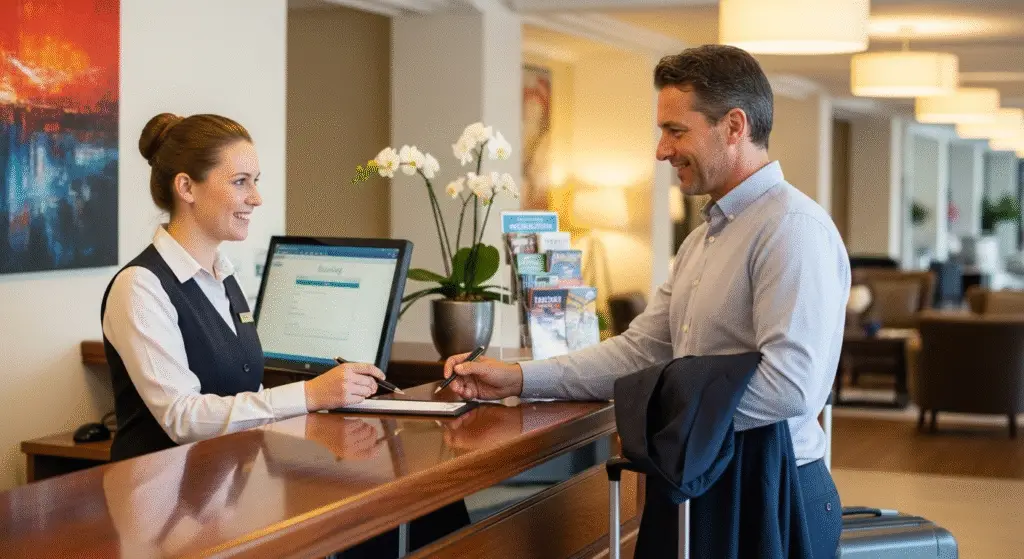
As a high street hospitality business – whether you run a cosy cafe, a bustling pub, or a popular restaurant – you know that your customers are the heart of everything you do. You probably greet regulars by name, remember their usual order, or know that Mrs. Henderson prefers a quiet table. This personal touch is what makes independent businesses special.
But what happens when you have too many customers to remember everything? Or when you want to send a special offer only to people who love your craft beer? This is where a Customer Relationship Management (CRM) system comes in.
Don’t let the technical-sounding name put you off. Think of a CRM not as complicated software, but as a clever, organised notebook that remembers everything important about your customers. It’s designed to help you build even stronger relationships, keep people coming back, and grow your business without losing that friendly, local feel.
Why Your Small Hospitality Business Needs a CRM
You might wonder if a CRM is just for big hotel chains or fancy restaurants. Absolutely not! Small, independent high street businesses have the most to gain from truly knowing their customers.
- Remembering the Little Things: A CRM helps you go beyond just remembering a name. It can log dietary preferences, birthdays, anniversaries, favourite dishes, last visit date, and even notes like “prefers table by the window.” This information allows you to offer genuinely personalised service that makes customers feel valued.
- Targeted Marketing That Works: Sending out a generic email to everyone about a new menu item might get some attention. But what if you could send a special offer on wine to your known wine lovers, or a “we miss you” voucher to customers who haven’t visited in a while? A CRM lets you send messages that truly hit home, saving you money and getting better results.
- Building Loyalty, One Visit at a Time: By tracking visits and spending, a CRM can power your loyalty programs. You can automatically reward regulars, offer birthday treats, or give exclusive access to events, turning casual visitors into dedicated fans.
- Saving Time and Staying Organised: Instead of scribbling notes or relying on memory, all your customer information is in one place, accessible to anyone on your team who needs it. This streamlines service and ensures consistency, even when different staff are on duty.
- Spotting Trends and Opportunities: A good CRM can show you who your most valuable customers are, what dishes are most popular, or which marketing efforts are bringing people through the door. This helps you make smarter business decisions.
What Does a Hospitality CRM Actually Do? (Key Features)
While different systems offer different things, a good CRM for a pub, cafe, or restaurant usually includes:
- Customer Profiles: This is the heart of it. A digital file for each customer with their name, contact details, visit history, spending habits, special requests, and any notes your staff add.
- Booking and Reservation Management: Many hospitality CRMs are built directly into or connect with your booking system. This means that every time someone books a table, their details automatically go into their customer profile, building a richer picture.
- Loyalty Programme Tracking: If you run a loyalty scheme (like points for spending or a digital stamp card), the CRM can keep track of customer progress and automatically trigger rewards.
- Marketing Tools: Most CRMs let you send emails or text messages. You can use the customer data to send targeted campaigns – for example, only sending promotions for vegan dishes to customers who’ve ordered them before.
- Feedback and Review Management: Some systems allow you to collect customer feedback directly after a visit or even pull in reviews from sites like Google or TripAdvisor, connecting them to individual customer profiles. This helps you respond thoughtfully and improve your service.
- Reporting and Insights: See at a glance your busiest times, your most loyal customers, or the success rate of a particular marketing campaign.
How to Introduce a CRM to Your Business: A Simple Plan
Getting started with a CRM doesn’t have to be overwhelming.
Step 1: Figure Out What You Need Most
Before looking at any software, think about your biggest challenges. Are you losing track of regulars? Is your marketing just a shot in the dark? Do you want to run a loyalty programme? Write down 2-3 main things you want a CRM to help you with. This will guide your choice.
Step 2: Research and Pick Your System (Examples Below!)
Look for systems that are designed for hospitality or are flexible enough for it. Consider:
- Ease of Use: How quickly can your staff learn it?
- Features: Does it do what you need (from Step 1)?
- Cost: What’s your budget? Many offer different price tiers.
- Integrations: Does it connect with your existing till system (POS) or online booking system? This is really important to avoid manual data entry.
Step 3: Start Gathering Customer Information
If you already have a list of customer emails or booking details, that’s a great start. If not, think about how you’ll collect new information:
- Online Bookings: Ensure your booking system automatically feeds into the CRM.
- Wi-Fi Sign-up: If you offer free Wi-Fi, the sign-up process can be a way to collect email addresses (with customer consent, of course!).
- Loyalty Programme Sign-up: Encourage customers to join a loyalty scheme at the till or online.
- Feedback Forms: Use digital feedback forms after a visit.
- Manual Entry: For your very best regulars, your staff can manually add notes about their preferences.
Step 4: Train Your Team
This is probably the most important step. If your staff don’t use the CRM, it’s useless.
- Explain the “Why”: Show them how it makes their job easier (e.g., “now you’ll know Mr. Smith prefers almond milk before he even orders!”).
- Keep it Simple: Focus on the basic functions they’ll use daily.
- Practice: Let them try it out, make mistakes, and ask questions.
- Lead by Example: If you, as the owner, use it and show its value, your team will follow.
Step 5: Start Simple, Then Grow
Don’t try to use every feature on day one. Start with the basics, like just collecting names and visit dates. Once your team is comfortable, you can slowly introduce more features, like tracking preferences or sending targeted emails.
Popular CRM Options for UK Hospitality Businesses
There are many different systems out there, ranging from simple tools to comprehensive platforms. Here are a few examples, keeping in mind that features and pricing can vary:
- Dedicated Hospitality CRMs (often linked to booking systems):
- OpenTable / ResDiary / SevenRooms: These are primarily booking systems that have powerful CRM features built in. They automatically create customer profiles from bookings, letting you add notes on preferences, track past visits, and even manage loyalty programs. If you rely heavily on online reservations, one of these might be a natural fit, as your customer data is collected as people book. They are designed specifically for the flow of a restaurant or pub.
- Access Acteol / Kobas: These are more comprehensive hospitality management systems, often including CRM capabilities alongside things like EPoS (till systems), stock management, and staff rotas. They aim to provide a single view of your customer across all their interactions with your business, from a table booking to a takeaway order.
- General Small Business CRMs (flexible for hospitality):
- HubSpot CRM (Free Version): HubSpot offers a very capable free CRM that can be adapted for hospitality. While it doesn’t have specific restaurant features like table management built-in, you can use it to store customer profiles, track communication (emails), manage marketing lists, and send out email campaigns. It’s a great choice if you’re looking for a free starting point and want to manage marketing more broadly.
- Zoho CRM: Similar to HubSpot, Zoho CRM is a general-purpose CRM with various pricing tiers, including a free one. It’s highly customisable, meaning you can set it up to track specific hospitality details like dietary requirements or favourite dishes. It can integrate with other Zoho tools for email or marketing.
- Point-of-Sale (POS) Systems with CRM Capabilities:
- Square POS / Lightspeed POS / Toast (less common in UK): Many modern till systems (Point-of-Sale) now include basic customer management features. They can capture customer names and emails at the till, track their spending, and sometimes even manage simple loyalty programs. If you’re already using one of these for your sales, check its CRM features first, as it might be enough to get you started without adding another separate system.
The best system for you will depend on your specific needs, budget, and how you currently manage bookings and sales.
A Few Things to Watch Out For
- Staff Buy-in: If your team doesn’t understand the benefits, they won’t use it. Make it easy for them.
- Data Entry: Initially, there might be some work to get your existing customer data into the system. Keep new data entry simple and quick for staff.
- Cost vs. Benefit: Start with a free or lower-cost option if you’re unsure. As your business grows and you see the benefits, you can always upgrade.
A well-used CRM isn’t just a piece of software; it’s a tool that helps you amplify that uniquely human touch that sets your high street business apart. By remembering the details, personalising interactions, and engaging effectively, you’ll build a loyal customer base that keeps your doors busy for years to come.