
How do I add my food menu options to my listing?
(This feature is not available for free/basic listing packages)
Our High Streets allows you to add your food and drink menu options to your listings, which is a great way to enhance your profile. Please note that this section is not to add products you sell. To add these to our website, please see our Shop/Vendors Section. You can categorise your menu options, for instance, “Drinks”, “Starters”, etc. You can choose what you would like to call each item category.
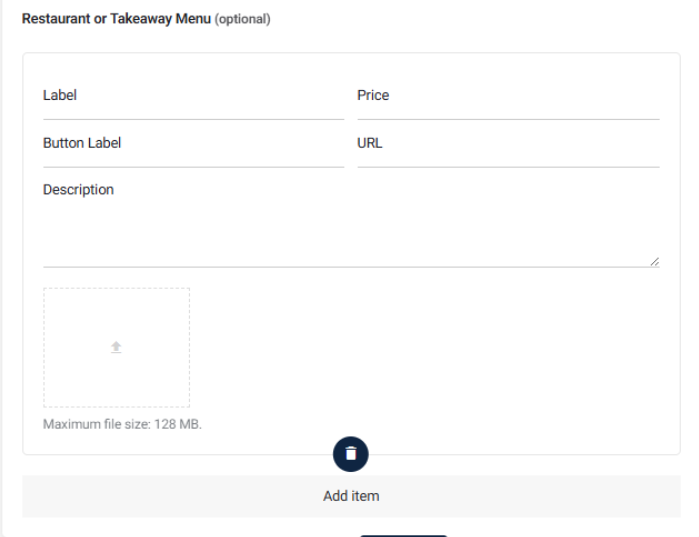
Label:
Choose how you want to label each item, for example, “Starters” or “Vegan Options”
Price:
Add the price of the Item (using £)
Button Label:
Choose what to say on the button for the item, for example, “Order Now” or “Place Order”
URL:
Add the full link to where users can place the order, which can be your own website or a delivery service, etc.
Description:
Add a short description about the menu item. Ideally, it wants to be around 50-70 words long.
Image:
Add an image for your menu option. Please use a square-formatted image which is not less than 500px but no more than 1200px. Ensure it is formatted for web use (JPEG or WebP).
Once completed, click the “Add Item” box to add further options. There is no limit to how many menu options you wish to add.